Custom Photo Mug Printing in California: How to Order and Get Delivery
Compare photo mug delivery services and California print shops, then follow a screenshot guide to upload your design, check the preview, and order.
Want your photo, pet portrait, or funny design printed on a real mug and delivered to a California address? Start with a service that accepts your image, choose a mug, inspect the print preview, and check the arrival date before paying.
Order from a national delivery service or a local California print shop. Both routes let you upload your own artwork and choose the mug size and quantity.
Which company should you use?
For a single gift with home delivery, start by comparing Shutterfly, Snapfish, and Walgreens Photo. For help from a local California printer, look at CV Graphics & Printing in Chula Vista / San Diego or Guru Printers in Los Angeles. If you can collect the mug in person, Spectracolor in Simi Valley is another option.
| Company | Ordering option | Delivery or pickup | Product price | Main thing to check |
|---|---|---|---|---|
| Shutterfly | Upload-your-own-design mug; 11 or 15 oz | U.S. shipping; confirm your California ZIP in the cart | 11 oz: $14.99 regular / $9.99 sale | Crop, color, and final arrival date |
| Snapfish | Photo mugs, single-image and collage layouts | Home delivery with several shipping speeds | 11 oz: $15.99 regular | Choose a single-photo layout for finished artwork |
| Walgreens Photo | Several ceramic mug sizes and colors | Ship to you or eligible ship-to-store | 11 oz: $14.99; 15 oz: $16.99 | Mugs are under ship-to-store, not same-day pickup |
| CV Graphics & Printing | Full-color mug with print-ready artwork upload | Online shipping estimator; confirm service to your ZIP | Standard size, quantity 1: $25 | File requirements and production time |
| Guru Printers | 11 oz ceramic mug; upload artwork | Shipping information available; LA pickup also offered | Configure the order or request a quote | Restrictions on dark artwork; rush cutoff |
| Spectracolor | 11 oz photo mug | Local pickup only, no mug shipping | $16.99 | Useful only if you can collect in Simi Valley |
Compare the total delivered price for the same size and quantity.
Prepare your image before ordering
If you already have a photo or finished illustration, use its original file. If you want an AI design made from a selfie or pet photo, follow our MugMeme photo-to-mug guide, then download the finished image.
MugMeme creates the artwork and a 3D preview. The printing company supplies the physical mug and delivery. Upload the exported design, rather than a screenshot of the MugMeme preview: a screenshot can include the curved mockup, shadows, or app controls that should not be printed.
Before opening the printer’s editor:
- Save the highest-resolution version of your image to Files or Photos on your phone, or a folder on your computer.
- Decide whether you want one picture, a picture on each side, or a wraparound design.
- Keep important faces and lettering away from the image edges. Fit the artwork inside the printer’s template.
- Use the exact printer’s template if it supplies one. Use the dimensions specified for your selected mug.
- If the editor flags low resolution, go back to the original export. Enlarging a small image does not restore missing detail.
For a local printer, ask whether it accepts PNG or JPEG directly and whether it needs a print-ready PDF. Do not convert a file just to change its extension.
Step by step: order a Shutterfly mug for delivery to California
Follow these steps to upload your design and order a mug to a California address.
1. Open the upload-your-own-design product
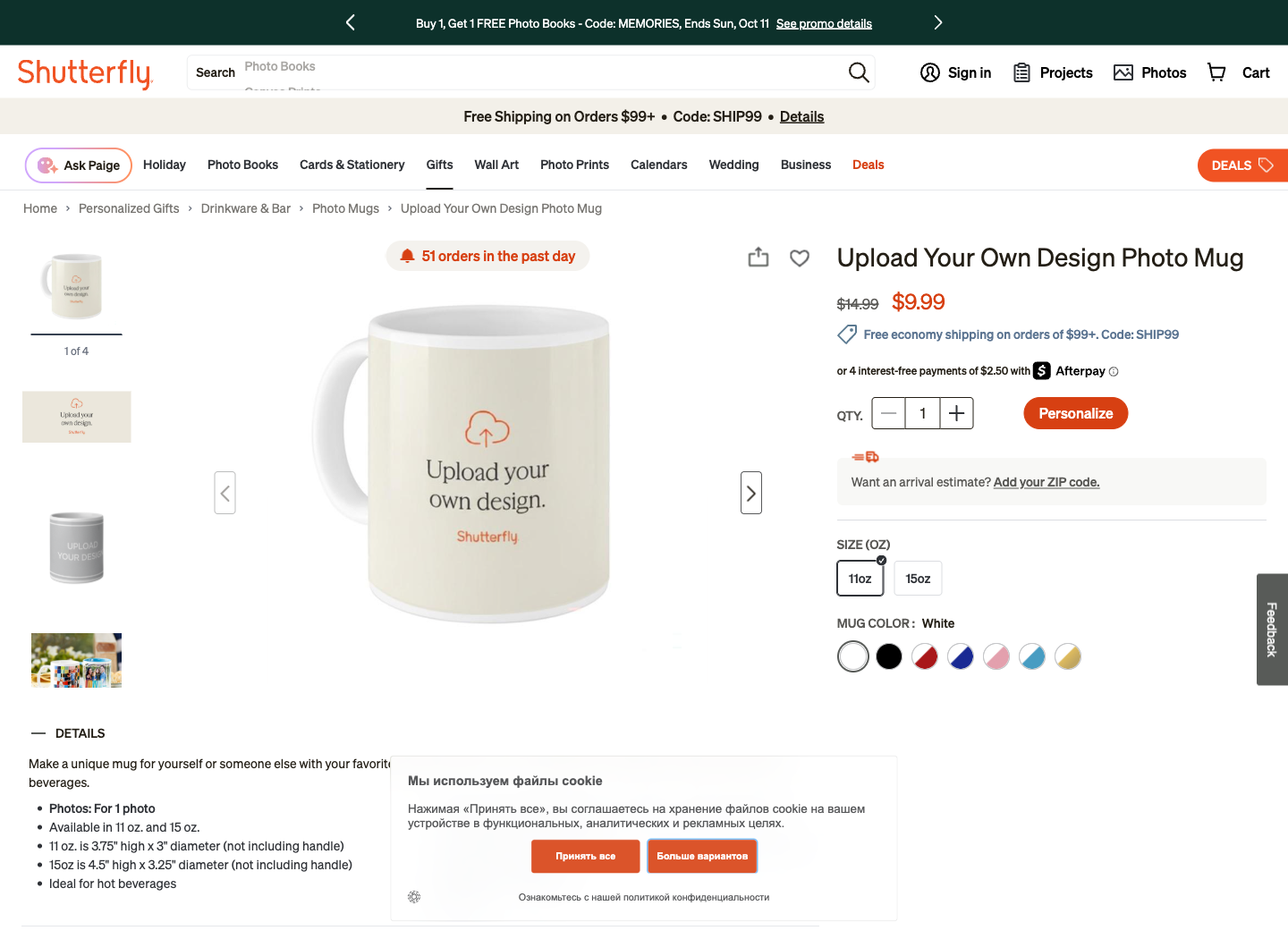
Go directly to Upload Your Own Design Photo Mug. This avoids starting with a collage when you already have complete artwork.
Choose the size and mug color. The page offers 11 oz and 15 oz options. Keep quantity at 1 for a single gift. Use Add your ZIP Code to check an arrival estimate for the actual recipient’s California address.
Step 1: choose the physical mug before opening the design editor.
2. Click Personalize and upload the design
Click Personalize, then Upload Photos. Choose your exported image from your device. To use a stored photo library, select its sign-in option.
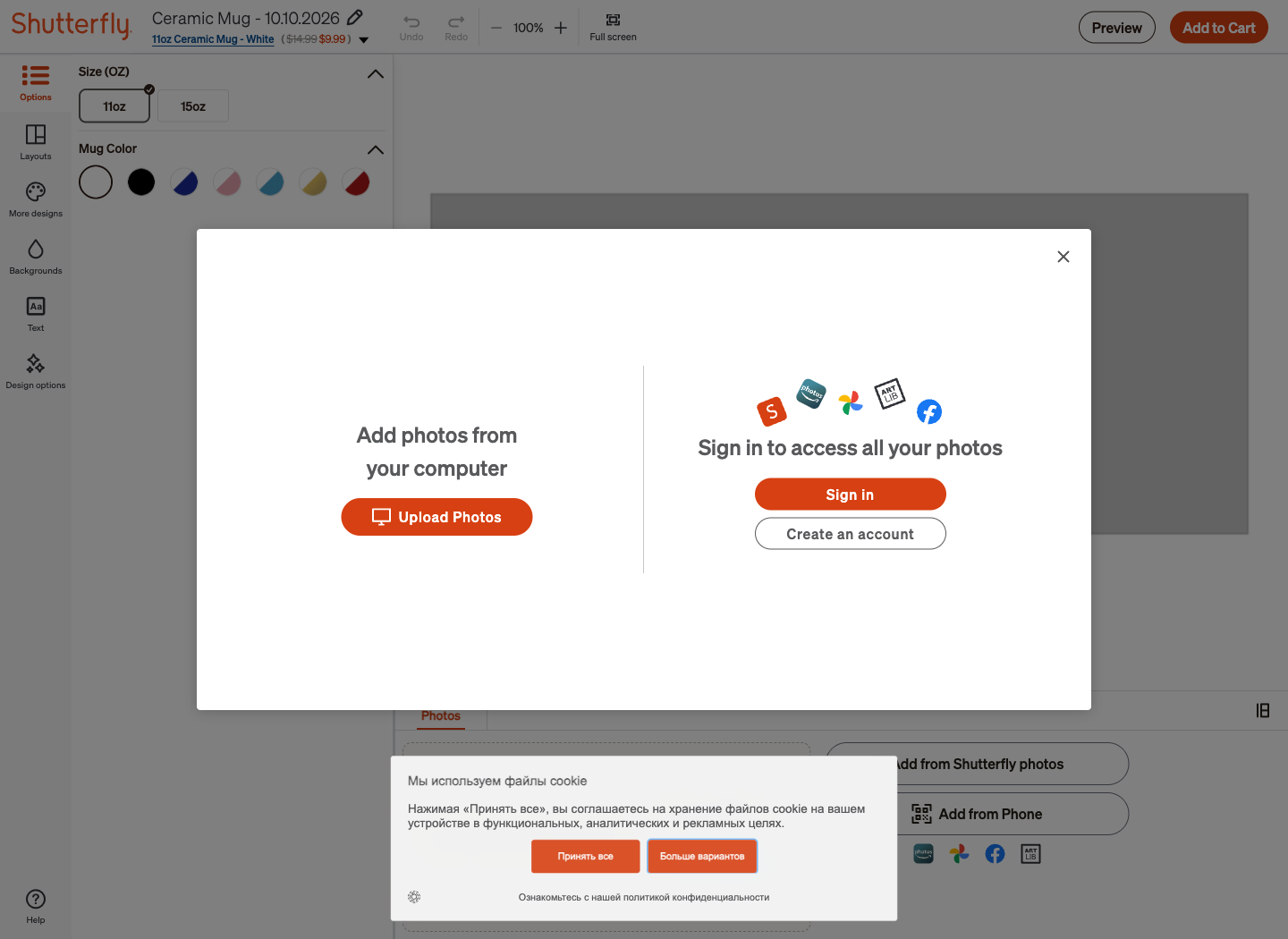
Step 2: use the file-upload option for artwork saved on your device.
3. Inspect the flat artwork
Let the upload finish, then inspect the image in the editor. If it is in the photo tray rather than the canvas, place it in the photo slot. Check the whole printable area, especially the left and right edges.
Remove unwanted template text, including any Add Text placeholder. If your image already contains a caption, an extra text box can overlap it. Adjust the layout if the image is cropped; never stretch a face sideways simply to fill the area.
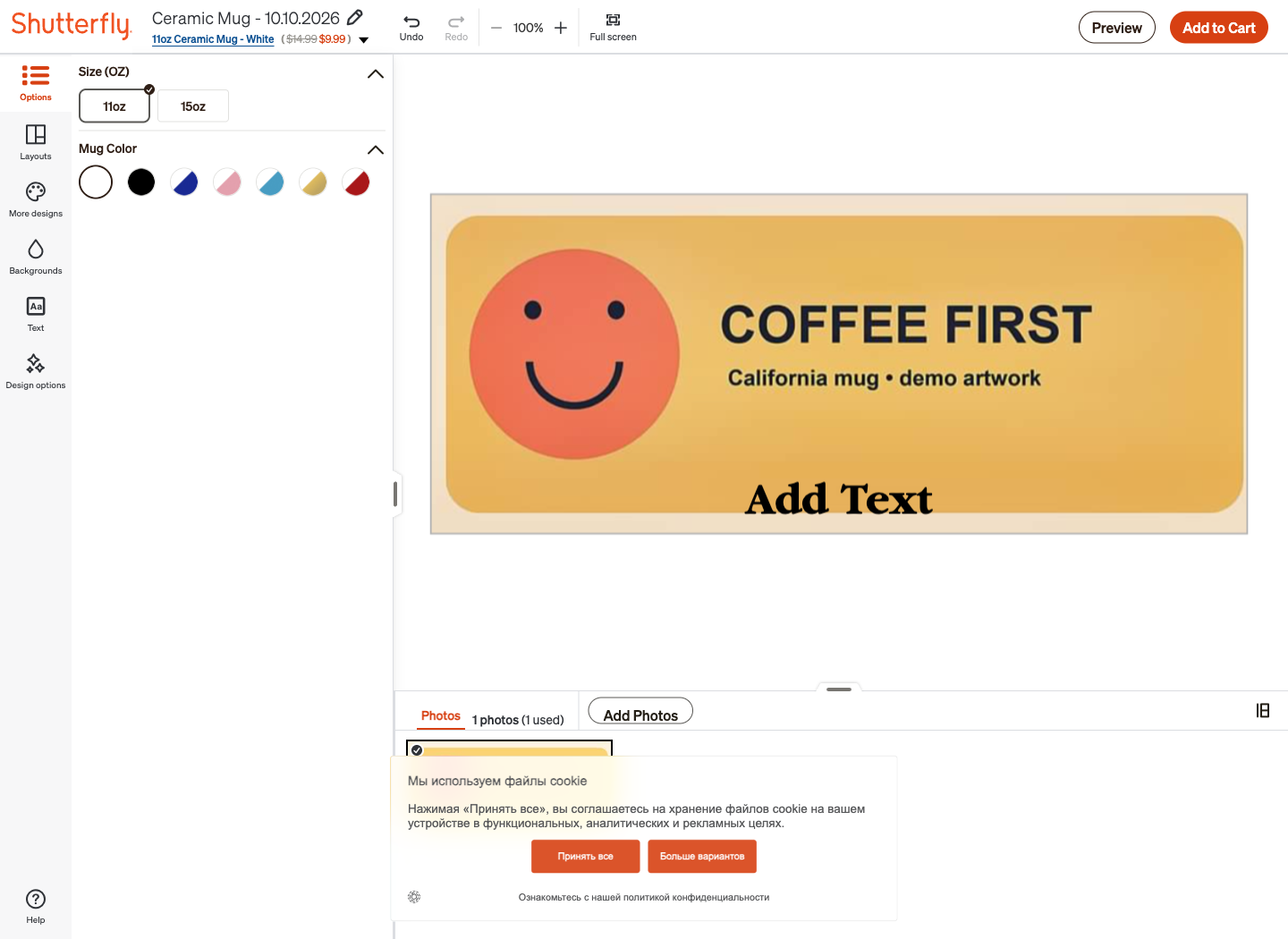
Step 3: the uploaded artwork in the editor. Notice the extra Add Text placeholder at the bottom: clear it before ordering.
4. Open Preview and rotate the mug
Click Preview. Rotate the mug to examine the artwork around its curve, including both sides and the area near the handle. Check spelling, face placement, and any empty border before moving to the cart.
5. Add it to the cart and enter the recipient’s address
When the design looks right, select Add to Cart. Follow any account or guest-checkout prompts. Enter the recipient’s name, street address, apartment or unit number, city, California / CA, and ZIP code. For a gift, use the recipient’s shipping address and your own billing address where requested.
Review the mug size, color, quantity, and artwork again. Choose the delivery method based on the arrival date displayed for this order, rather than the shipping method’s name alone.
6. Compare shipping and the final total
Shutterfly’s shipping table lists these production plus delivery times:
| Method | Production and delivery |
|---|---|
| Basic Economy | 6–10 business days |
| Standard | 5–7 business days |
| Expedited | 4–5 business days |
| Rush | 3–4 business days |
| Super Rush | 1–2 business days for eligible products |
Select a shipping option in the cart and review its arrival date and price. Enter your promotion code and meet its minimum order amount to apply a shipping discount.
Before payment, check mug price × quantity + shipping + tax − applicable discount. Save the order confirmation and use the tracking link when the company dispatches the package.
How to order through Walgreens Photo
Walgreens’ mug catalog lists an 11 oz mug at $14.99 and a 15 oz mug at $16.99, alongside color-accent and larger options.
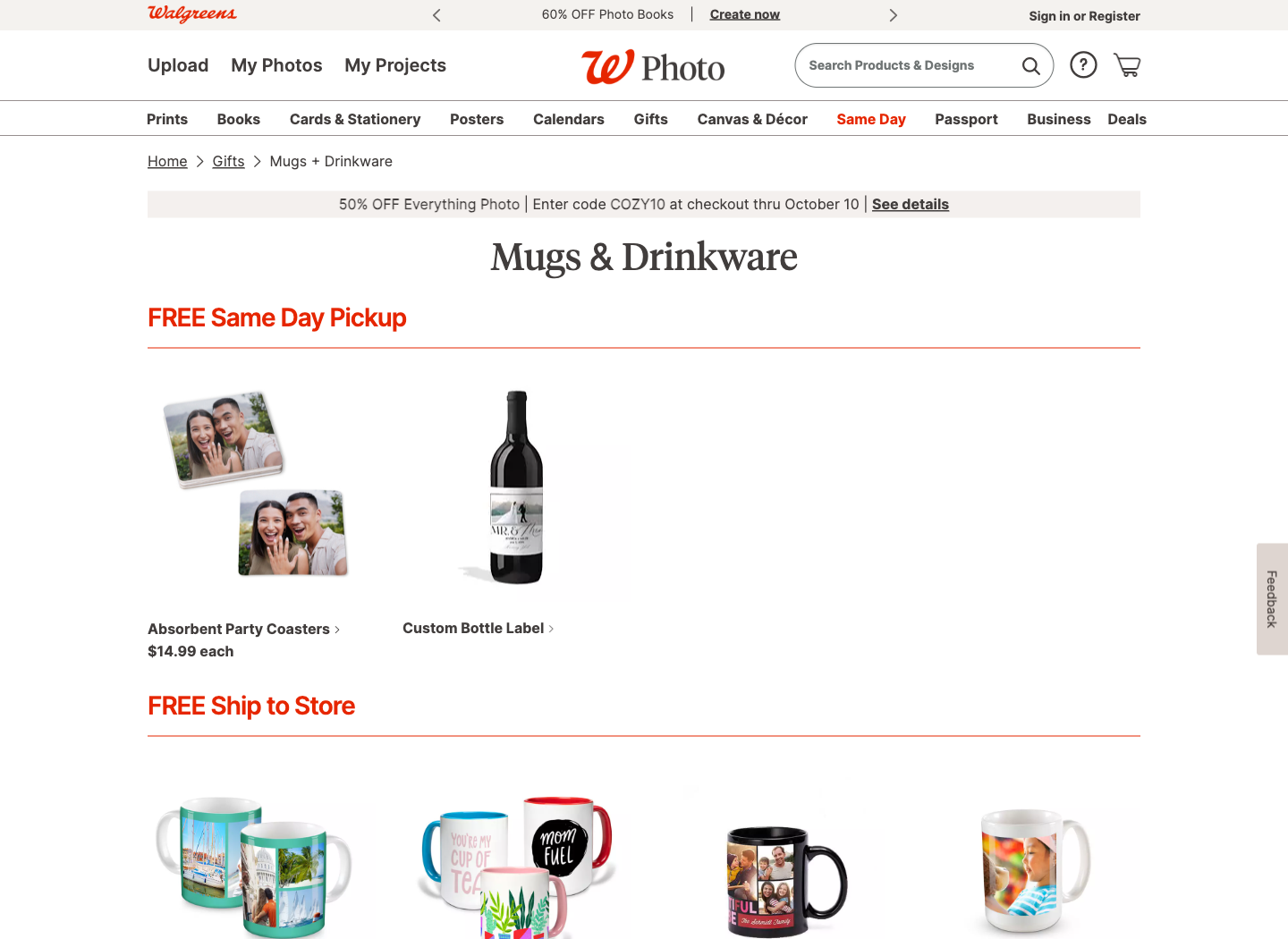
The category heading matters: the mugs appear under Free Ship to Store. The same-day heading above them applies to other products.
To order:
- Select the exact mug and a layout suitable for your image.
- Upload the design, then review cropping and any added text.
- Choose Ship to you for home delivery, or an eligible Ship to Store location if you prefer collection.
- Enter the delivery address or choose the California store, and review the date and total.
- Complete payment and wait for the delivery or pickup notification.
The official fulfillment page lists 7–10 days for ship-to-you and ship-to-store orders. Ship-to-store is free. Select Ship to you to see the home-delivery charge for your mug.
How to order through Snapfish
Snapfish Photo Mugs offers ceramic mugs in several sizes and single-photo or collage layouts. Its catalog lists an 11 oz regular price of $15.99; frequent sale prices are separate from delivery costs.
For finished MugMeme artwork, choose Design your own or a single-photo layout. Select the mug, open its creation tool, upload your file, and place it in the layout. Inspect the preview, add it to the cart, and enter the California shipping address.
Snapfish’s mug creation instructions describe CREATE NOW, GET PHOTOS, and ADD SELECTED PHOTOS.
Its U.S. delivery guide lists total estimates of up to 8 business days for Lowest Price, 6 for Ground, 5 for Expedited, and 4 for Rush. These include up to three days of production. Select your delivery method in the cart and review the arrival date for your address.
Local California companies
Chula Vista / San Diego: CV Graphics & Printing
CV Graphics & Printing’s mug page advertises full-wrap sublimation and accepts print-ready artwork. Select Standard and quantity 1 for a $25 mug.
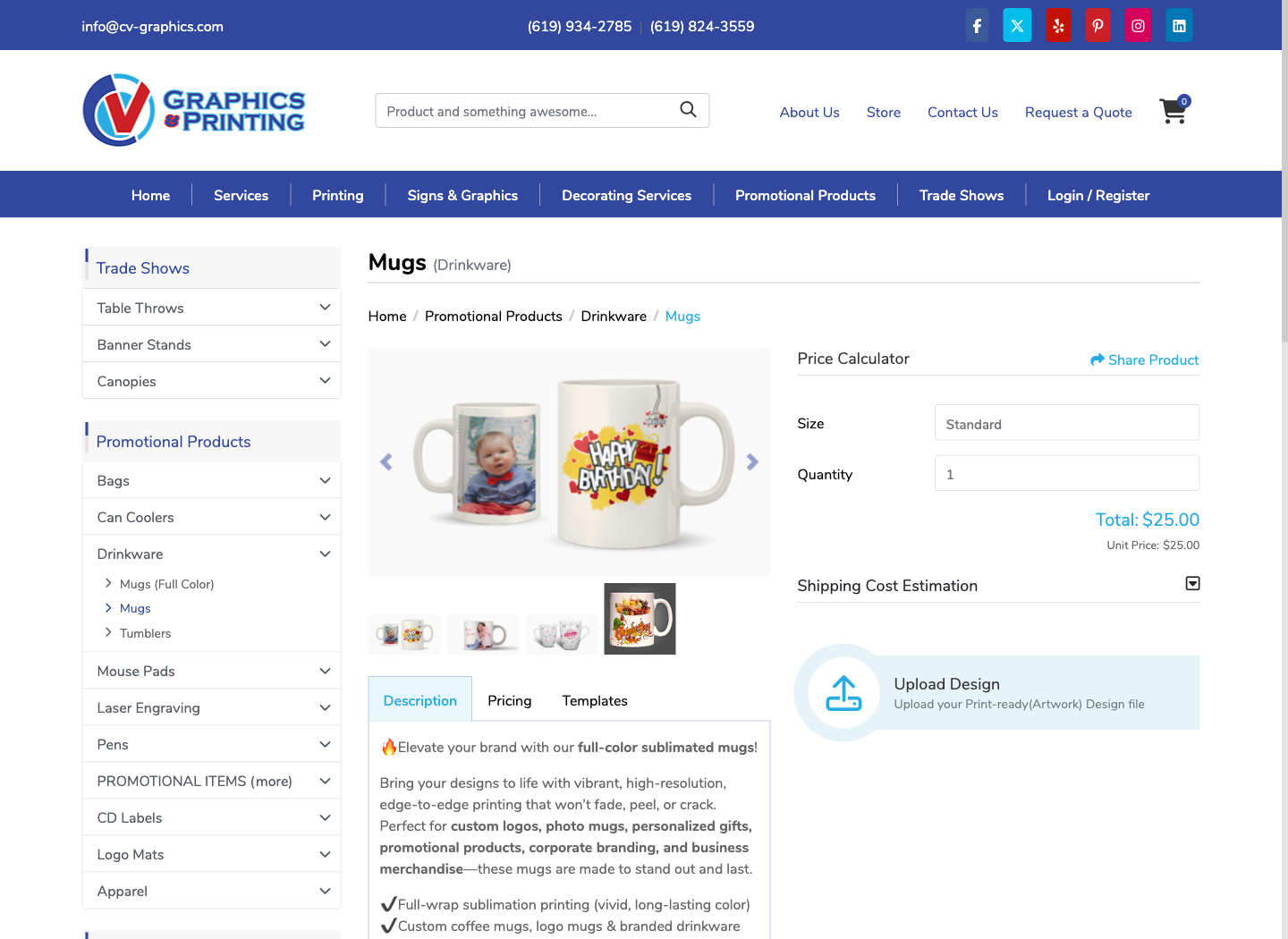
To start, choose the size and quantity, expand Shipping Cost Estimation, enter the country and ZIP, and calculate shipping. Use Upload Design for your file, then follow the ordering prompts. Review the file specifications, production time, and delivery date before paying.
For help, contact (619) 934-2785 or [email protected]. Enter your California ZIP in the shipping calculator to price delivery.
Los Angeles: Guru Printers
Guru Printers offers 11 oz ceramic mugs with an 8.5 × 3 inch print area. Its form asks for size, sides, quantity, material, artwork, turnaround, and an uploaded file. Listed accepted extensions include JPEG, PNG, PDF, and EPS, up to 200 MB; the site recommends PDF for print-ready files.
Artwork requirement: Guru Printers does not accept images with more than 50% dark-color coverage. Choose another printer for artwork that exceeds this limit.
Configure the mug, upload the file, and review the quote and shipping information. Confirm shipping to your California ZIP and the proof-approval deadline. For urgent LA collection, use the same-day mug product and call (213) 612-4451. Call before 10 a.m. Los Angeles time to arrange a rush order and collect it at the Art District location.
Simi Valley: Spectracolor — pickup only
Spectracolor’s 11 oz photo mug costs $16.99. The order page accepts a photo or design, recommends a high-resolution JPEG, and lists a maximum file size of 10 MB and a maximum wrap area of 8.25 × 3.5 inches.
Upload the file, choose whether the image should face you when holding the mug with your right or left hand, and acknowledge the pickup requirement before adding it to the cart.
Spectracolor offers pickup only for mugs. Use this option only if you or the recipient can collect in person; confirm the collection address and readiness time with the shop.
Questions to ask a local printer
You can copy this message into the printer’s inquiry form:
Hi, I would like one custom photo mug delivered to [city, California ZIP]. I already have the artwork as a [PNG/JPEG] file, [width × height] pixels. Do you accept this file for a single mug? Please confirm the printable area, whether you provide a proof, production time, shipping cost, expected arrival date, and the total including tax. I need it by [date].
For a batch, replace “one” with the quantity and ask whether individual gift boxes are included. For pickup, replace the delivery request with a question about the collection location and readiness time.
Final checklist before paying
- Image: original export, correct crop, no unintended placeholder text or low-resolution warning.
- Mug: correct size, color, quantity, and one-sided or wraparound layout.
- Recipient: full address, apartment number, California state selection, and correct ZIP.
- Timing: production, proof approval if required, and transit fit your deadline.
- Cost: shipping and tax are included in the total you compare.
- Care: follow the specific mug’s dishwasher and microwave instructions. Shutterfly’s gold-rim/handle version requires hand washing and is not microwave safe.
- After delivery: inspect the mug for cracks and printing errors promptly; keep the order number and photograph any issue for the printer’s support team.
Frequently asked questions
Can I order one mug and have it delivered to California?
The national photo services above offer individual mugs and U.S. shipping. Enter the actual California address to confirm the delivery options and total. CV Graphics also lists a quantity-one option with an online shipping estimator.
Do I need a printer based in California?
No. Order from a national service for home delivery. A local company is useful when you want direct file-preparation help or can collect an urgent order.
Can I get a mug delivered today?
For a mug you need today, order Guru Printers’ same-day mug service in Los Angeles and collect it at the Art District location. Call before placing the rush order. Walgreens ceramic mugs use ship-to-store or home delivery, with a 7–10 day fulfillment window.
Can I print a MugMeme design with these services?
Use the exported artwork and check it against the printer’s template and file requirements. Use the printer’s preview to check the final placement on your selected mug. Read our iPhone mug design guide if you have not created the image yet.